Blog · November 17, 2026
Centric: the cornerstone of OneMarketer and its native integrations with 8 CRMs
What Centric does, how it connects with Bot Manager, Reach & Engage, Social CX, OneCommerce and every channel, and its native sync with Salesforce, Dynamics 365, HubSpot and more.
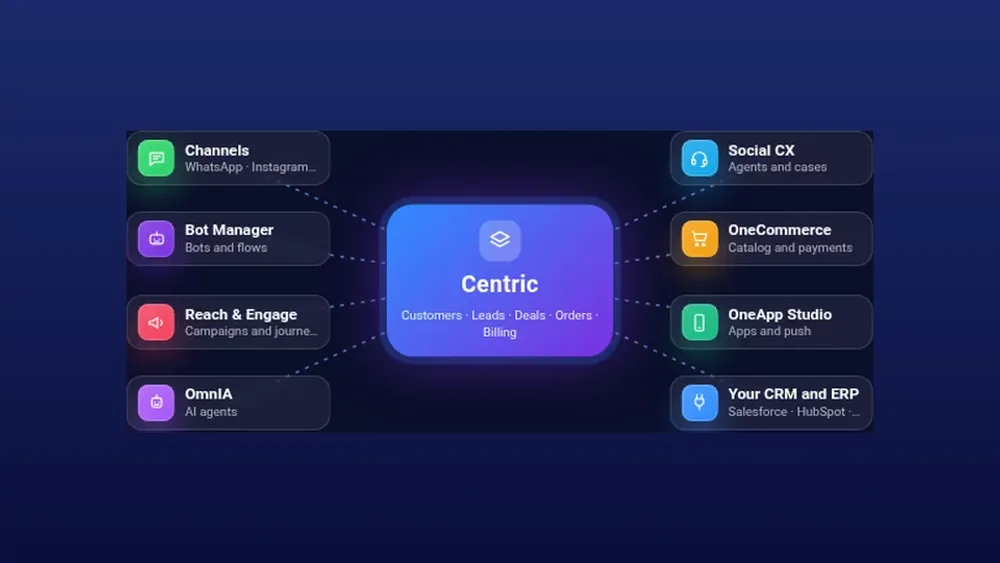
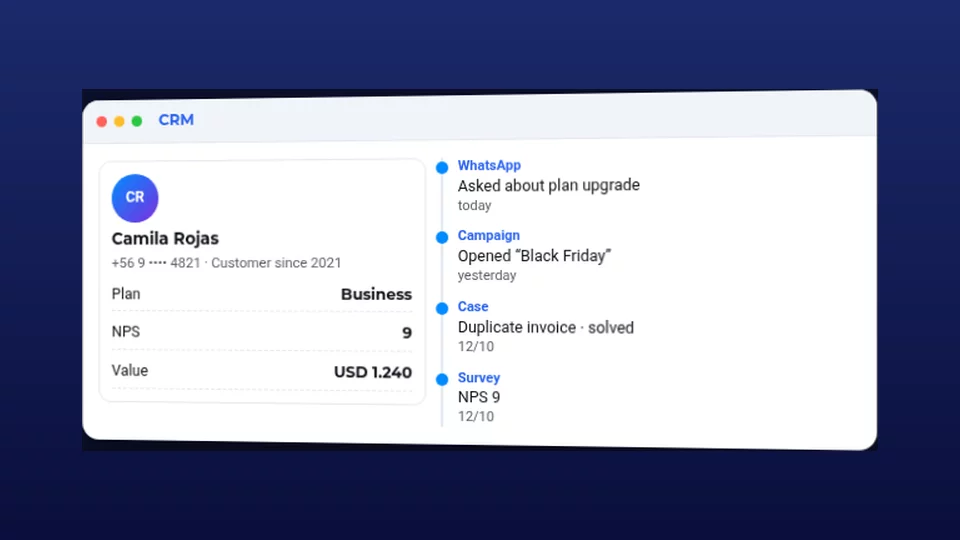
Centric is OneMarketer’s CRM and sales suite. It keeps the customer, their contacts, leads and opportunities in one place, together with the history of every conversation.
It is the cornerstone of the platform because every OneMarketer tool reads and writes to Centric. A bot that qualifies a lead, a campaign that reaches them, an agent who serves them and a purchase that closes all land on the same record: one customer, one history, one source of truth.
What Centric does
| Area | What it solves |
|---|---|
| Leads | Capture from webchat, forms, bots and API; AI qualification and instant alerts to the team |
| Customers and contacts | A single record with the full history file and an AI summary |
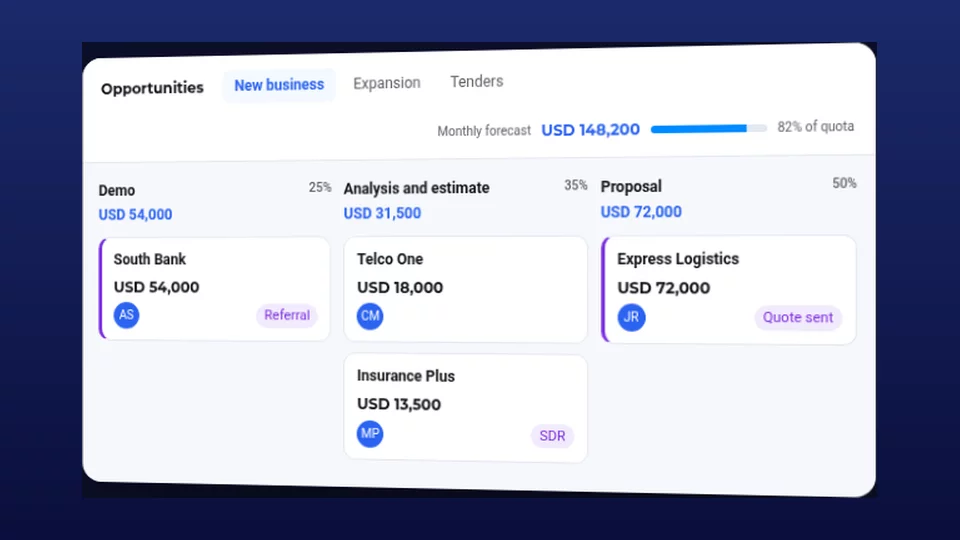
| Opportunities | Pipeline with configurable stages, sales forecast, zones and country managers |
| Sales alerts | Notices to presales, delivery and leads channels when something changes |
| Pricing | Price list, quote simulator and sales decks with live prices |
| Billing and usage | Usage report by product and channel for invoicing |
How it connects with OneMarketer tools
- Bot Manager and OmnIA: bots and AI agents read the record to answer with context and register or qualify leads as they talk.
- Reach & Engage: campaigns and the Orchestrator work on Centric customer segments.
- Social CX: agents see the record, cases and opportunities next to each conversation and update it without switching screens.
- OneCommerce: catalog, orders and payments connect with the customer.
- TeamChat: the team gets incoming-lead and sales alerts in its channels.
How it connects with channels
Every conversation, on any channel, is tied to the Centric customer, so agents and bots see the same record wherever the person wrote from.
- WhatsApp: conversations, templates, WhatsApp Flows and WhatsApp Livechat Bridge.
- Instagram, Messenger and TikTok: direct messages link to the same record.
- Webchat and Livechat: the virtual advisor registers the lead in Centric and the team is alerted instantly.
- Email and voice: emails and OneCalling calls join the history.
Native integrations with 8 leading CRMs
Centric natively syncs with Salesforce Sales Cloud, Microsoft Dynamics 365 Sales, HubSpot CRM, Zoho CRM, SAP Sales Cloud, Oracle NetSuite CRM, Pipedrive and RD Station CRM, for companies that already run a corporate CRM and want OneMarketer’s conversational layer without duplicate work.
 Salesforce
 Dynamics 365
 HubSpot
 Zoho CRM
 SAP Sales Cloud
 Oracle NetSuite
 Pipedrive
 RD Station
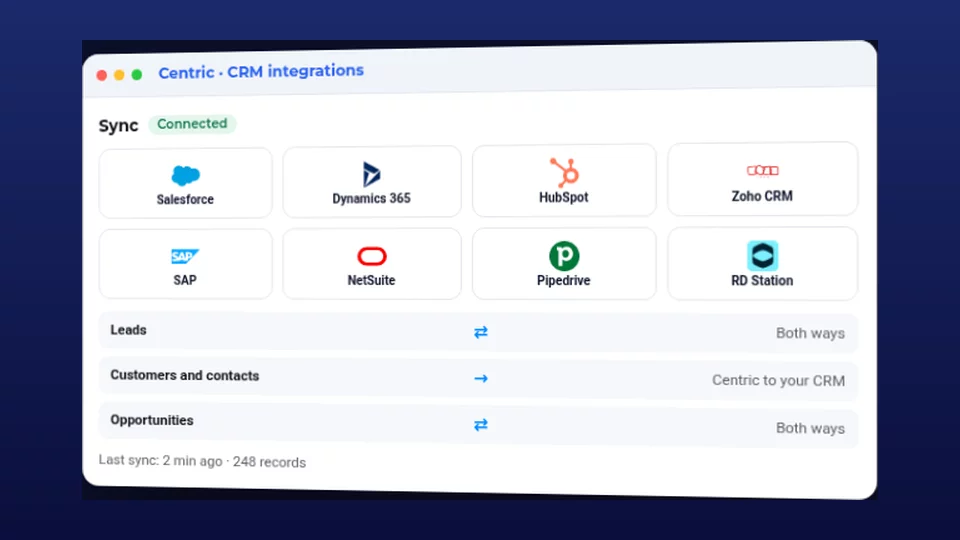
- The admin picks their CRM in Centric and connects with the Connect button or with their own credentials stored in the Key Manager.
- For leads, customers and opportunities they choose the direction: Centric to CRM, CRM to Centric, or both ways.
- Field mapping can be adjusted; every CRM comes with a default.
- Sync is automatic and every run is logged. If a record changed on both sides, the latest change wins.
Your corporate CRM remains the source of truth; Centric adds conversations, bots and campaigns.
What if you use another system?
We integrate with any platform that has an API or web services: ERP, core banking, ticketing systems or in-house databases. The Lead API v2 also creates and updates leads from forms, landing pages and other systems.
FAQ
Do I have to replace my current CRM? No. Centric syncs with it and your CRM stays the source of truth.
Is the whole history copied when connecting? No. Records created or changed after the integration is enabled are synced.
Where are credentials kept? In your console’s Key Manager. They are never requested over chat.
Want to see Centric connected to your CRM? Talk to an expert.